

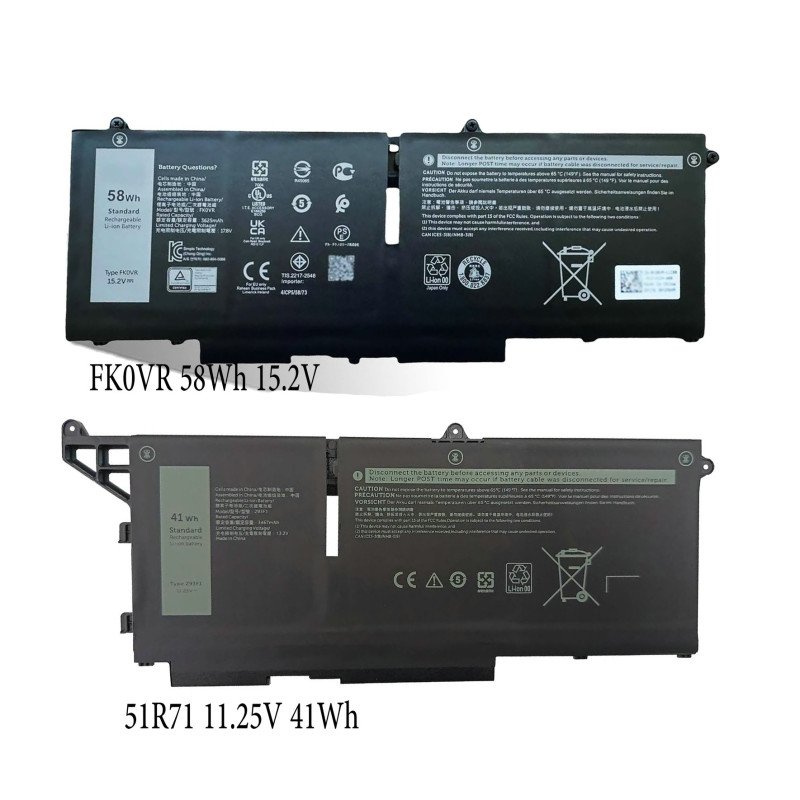
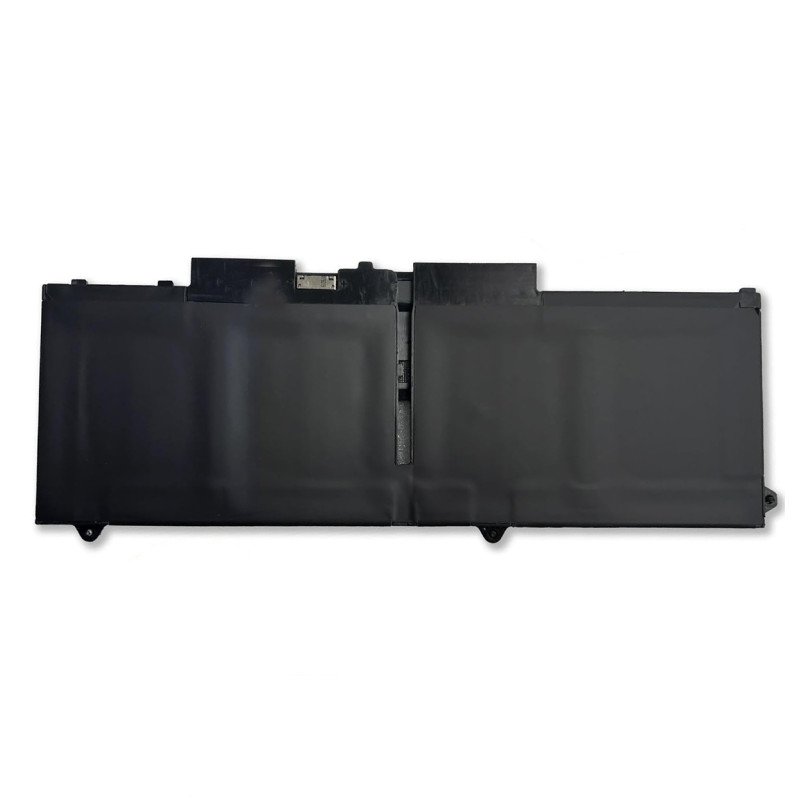
58Wh FK0VR Replacement for Dell Latitude 7530 15.2V 3625mAh
- Product Code: Latitude 7530
- Availability: In Stock
-

$41.99
Free Shipping to 120+ Countries & Regions
Replacement 58Wh FK0VR Battery Compatible with Dell Latitude 5330 7330 7430 7530 Latitude 5330 2-in-1/7330 2-in-1/7430 2-in-1 15.2V 3625mAh
There are two types of batteries options for Latitude 5330 (Standard & 2-in-1)
Compatible also with Latitude 5430, 5530, 7330, 7430, 7530, Precision 3570
- 51R71 / M69D0 (41Wh, 3-cell, 11.25V Li-Polymer):Slim lightweight original 3-cell battery
- 07KRV / FK0VR / 8P81K / H4PVC / Y86WG (58Wh, 4-cell, 15.2V Li-Polymer):Mainstream high-capacity replacement battery, the most popular aftermarket option
Important reminder: 41Wh 51R71 and 58Wh 07KRV have different voltage, connector and mounting layout. They are NOT interchangeable.
- 【Basic Details】Item Model:FK0VR; Battery Type: Li-ion; Voltage: 15.2V; Capacity: 58Wh/3625mAh ; Battery Color: Black
- 【Compatible P/N 】FK0VR FKOVR 8H6WD 51R71 8P81K
- 【Compatible Laptop Models】Replacement for Dell Latitude 5330 7330 7430 7530 Series, Dell Latitude 5330 2-in-1 / 7330 2-in-1 / 7430 2-in-1 Series Notebook. (NOT fit for Dell Latitude 7330 Rugged Series.), Dell P133G P133G002 P134G P134G002 P135G P135G002 P136G P136G002 P110F002 P110F P138G P138G002 P139G P139G002 Series
How to identify your Dell Latitude 7430 battery?
- BIOS (F2) → Power > Battery Info: View PN, Wh, voltage, charge type. 11.25V=41Wh; 15.2V=58Wh
- Dell Power Manager: Check battery PN & specs
- Dell Support with Service Tag: Factory original config only (invalid if battery replaced)
- Battery label (teardown): 100% accurate
powercfg /batteryreport: Only shows capacity, no part number
Battery PN list: 41Wh: 293F1 / 51R71
58Wh: FK0VR / 8P81K / Y86WG / PX0GF
Hands-on Product Review
We tested certified replacement 51R71 41Wh and 07KRV 58Wh batteries on a Latitude 5330 configured with i5-1235U, 8GB DDR4 RAM, 256GB SSD, FHD non-touch screen, Windows 11 Pro. Screen brightness locked at 50%, Wi‑Fi enabled, standard room temperature.
Runtime Test Results (Replacement New dell latitude 7430 Battery)
- Light office / class work (Docs, browser, online learning):
- 58Wh 07KRV: 5h 30min – 6h 20min
- 41Wh 51R71: 4h 20min – 5h 00min
- Video conference & online meeting:
- 58Wh 07KRV: 3h 50min – 4h 30min
- 41Wh 51R71: 2h 40min – 3h 10min
- Local 1080p video playback:
- 58Wh 07KRV: 4h 30min
- 41Wh 51R71: 3h 20min
- PDF reading & note-taking:
- 58Wh 07KRV: 5h 40min
- 41Wh 51R71: 4h 30min
- Sleep standby: ~1–2% drain overnight
An aged battery that only retains 30–40% capacity usually lasts merely 35–65 minutes under light office workloads. Dell marketing battery life data is tested under low-power lab conditions and cannot be achieved in real mixed daily use.
What we like about certified replacement dell latitude 7430 batteries
- Accurate smart communication chip: Windows battery percentage, BIOS battery info and Dell SupportAssist health readings display correctly. No random percentage drops or “battery not recognised” alerts.
- ExpressCharge & ExpressCharge Boost supported: With a genuine Dell 65W USB‑C PD charger, a healthy battery can reach 80% charge within roughly 60 minutes.
- Stable discharge curve: No sudden hard shutdown at 10–20% remaining charge, a common flaw of cheap generic batteries without qualified BMS protection.
- Exact OEM shape, mounting holes and connector: Direct drop-in fit after removing the base cover, no cutting or modification required.
Weaknesses & Important Caveats
- Two factory options: 41Wh 51R71 and 58Wh 07KRV. They are not interchangeable due to different voltage and connector.
- This battery fits Latitude 5330 / 5330 2-in-1, 5430, 5530, 7330, 7430, 7530, Precision 3570 only. Not compatible with Latitude 5320 series batteries. Always match the PN from your old battery label before ordering.
- Standard version rated cycle life is approximately 300 full charge cycles. Long-life variant supports up to 1000 cycles. After cycles are exhausted, usable capacity will gradually decline.
- Installation requires removing the bottom base cover. Before touching internal parts, power off the device, unplug the charger, disconnect the battery cable and press the power button for 10 seconds to release residual static power. Never bend, twist or puncture the lithium polymer cell.
- Swollen batteries are hazardous. Stop using the device immediately if you spot bulging, warped cover or lifted screen. Do not squeeze, pierce or attempt to charge a swollen battery. Deliver it to a professional lithium battery recycling station.
Rechargeable dell latitude 7430 Battery Maintenance Tips
- Use the original Dell 65W USB‑C PD adapter. Higher-wattage Dell USB‑C adapters work, but low-quality unbranded adapters may trigger slow charging or charging failures.
- Avoid draining the battery down to 0% frequently. Deep discharge damages the protection board and shortens service life.
- If you keep the device docked and plugged in all day, use Dell Power Manager to set a charge limit at 60–80% to slow battery aging.
- Run battery diagnostics in SupportAssist or use powercfg /batteryreport in Windows Command Prompt to track capacity degradation.
- Keep the device away from high heat, direct sunlight or soft cushions while charging; heat is the top cause of lithium battery degradation.
FAQ for Replacement Dell Latitude 7430 Battery
Q1: Which battery part numbers fit Latitude 7430?
A: Two separate options (not interchangeable):
- 51R71 / M69D0 (41Wh, 11.25V Li-Polymer)
- 07KRV / FK0VR / 8P81K / H4PVC / Y86WG (58Wh, 15.2V Li-Polymer) Compatible with Latitude 5330 2-in-1, 5430, 5530, 7330, 7430, 7530, Precision 3570. Not compatible with 5320 HDGJ8 / 7FMXV batteries.
Q2: Can I upgrade from 41Wh 51R71 to 58Wh 07KRV for longer runtime?
A: No. They have different voltage, connector and mounting structure. You must install the exact same PN as your original battery.
Q3: My Latitude 7430 only runs when plugged in, Windows shows 100% battery. Is the battery dead?
A: This is a classic failure symptom. First run Dell SupportAssist battery diagnostics and check battery data in BIOS. If the diagnostic marks the battery failed, replacement is needed. Rarely, this issue can also be caused by a loose battery connector or faulty charging circuit.
Q4: Can I replace the battery myself?
A: It is internal and non-hot-swappable FRU. You need to remove the base cover, disconnect the battery cable and remove fixing screws. If you lack electronics repair experience, hire a professional technician. Always power off and unplug the charger before disassembly.
Q5: How do I check my battery health?
A: Two reliable ways:
- Press F2 during boot to enter BIOS and open the Battery Information page.
- Open Command Prompt and run powercfg /batteryreport, or launch SupportAssist to run the battery hardware scan.
Q6: What charger should I use for Latitude 7430?
A:Your original 65W USB‑C PD adapter is recommended. This model uses USB‑C charging, barrel plug chargers are not supported.
Q7: How many cycles can I expect from a new replacement battery?
A: Standard version: around 300 full charge cycles. Long-life version: up to 1000 cycles. With light daily use and proper care, the standard version can stay usable for roughly 2–3 years before capacity drops noticeably.
Q8: Is it safe to leave the laptop plugged in 24/7?
A: Dell firmware stops charging once full. However, keeping the battery at 100% under warm conditions accelerates aging. If the laptop stays docked long-term, set a charge limit via Dell Power Manager whenever possible.
Q9: What should I do if my battery is swollen?
A: Stop using the laptop right away. Disconnect the power adapter. Do not squeeze, puncture or force the battery out. Take it to a repair shop or authorised e-waste recycling centre for safe disposal.
Free shipping!We can ship to over 120 countries and regions. We will usually ship it out within 2-3 days!
Payment by Paypal | 1-Year Warranty | 60 Day Money Back Guarantee
8-hour online service(08:00‑12:00 & 14:00‑18:00 (UTC‑4)) & email (Order@battery4pc.com)response within 24 hours.
Tags: dell Latitude 7530 battery, rechargeable dell FK0VR battery, Latitude 7530 battery sale, replacement dell Latitude 7530 FK0VR, Dell Latitude 7530 battery replacement
Related Products

Replacement Battery for Dell 0YY3V
Replacement for 0YY3V Battery Compatible with 0YY3V 97Wh 6-Cell Laptop Battery Compatible with dell ..

Replacement Battery for Dell 8622M
Replacement for 8622M Laptop Battery for Dell Alienware M15 R1 2018, Alienware M17 R1 2019, for Dell..

Replacement Battery for Dell D9J00
Replacement for D9J00 Laptop Battery Compatible with Dell Latitude 7200 7210 2-in-1 Series Notebook ..

Replacement Battery for Dell 1G9VM
Replacement for 1G9VM Battery Compatible with 91Wh 1G9VM GR5D3 Battery for Dell Precision 15 7510 75..
Replacement Battery for Dell MFKVP
Replacement for MFKVP Battery Compatible with 91Wh MFKVP GR5D3 Battery for Dell Precision 15 7510 75..
Replacement Battery for Dell GR5D3
Replacement for GR5D3 Battery Compatible with 91Wh GR5D3 GR5D3 Battery for Dell Precision 15 7510 75..
Replacement 11.4V 54Wh R73TC DR02P Battery for Dell Latitude 5440
Replacement battery for dell Latitude 5440 11.4V 54Wh R73TC DR02P Laptop Battery compatible with Del..