
Blog
Refine Search
How to Disassembly or replacement for DELL G3 3590 Battery
- By John Doe
- 31/08/2026
- 0 comments
How to Disassembly or replacement for DELL G3 3590 Battery Unplug the computer from the charging cable. Close the laptop and flip it over to the back. Find the 10 screws on the outer edge. Loosen the four captive screws(Red Mark) that secure the base cover to the palm-rest and keyboard assembly. Remove the six screws (Yellow Mark) that secure the base cover to the palm-rest and keyboard assembly. Using a plastic scribe, pry the base cover beside the display hinges, and then continue to work on the sides to open the base cover. (which on dell g3 3590 laptop ..
How to Disassembly or replacement for DELL G3 3500 Battery
- By John Doe
- 31/08/2026
- 0 comments
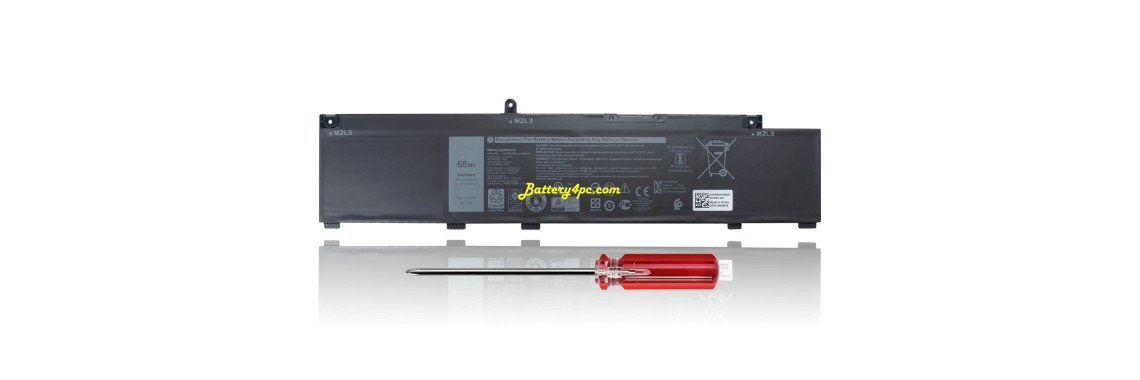
How to Disassembly or replacement for DELL G3 3500 Battery Unplug the computer from the charging cable. Close the laptop and flip it over to the back. Find the 10 screws on the outer edge. Loosen the four captive screws(Red Mark) that secure the base cover to the palm-rest and keyboard assembly. Remove the six screws (Yellow Mark) that secure the base cover to the palm-rest and keyboard assembly. Using a plastic scribe, pry the base cover beside the display hinges, and then continue to work on the sides to open the base cover. (which on dell g3 3500 laptop model ..
Blog

How to Disassembly or replacement for DELL G3 3590 Battery
How to Disassembly or replacement for DELL G3 3590 Battery Unplug the computer from the charging cable. Close the laptop and flip it over to the back. Find the 10 screws on the outer edge. Loosen the four captive screws(Red Mark) that secure the base cover to the palm-rest and keyboard assembly. Remove the six screws (Yellow Mark) that secure the base cover to the palm-rest and keyboard assembly. Using a plastic scribe, pry the base cover beside the display hinges, and then continue to work on the sides to open the base cover. (which on dell g3 3590 laptop ..
How to Disassembly or replacement for DELL G3 3500 Battery
How to Disassembly or replacement for DELL G3 3500 Battery Unplug the computer from the charging cable. Close the laptop and flip it over to the back. Find the 10 screws on the outer edge. Loosen the four captive screws(Red Mark) that secure the base cover to the palm-rest and keyboard assembly. Remove the six screws (Yellow Mark) that secure the base cover to the palm-rest and keyboard assembly. Using a plastic scribe, pry the base cover beside the display hinges, and then continue to work on the sides to open the base cover. (which on dell g3 3500 laptop model ..